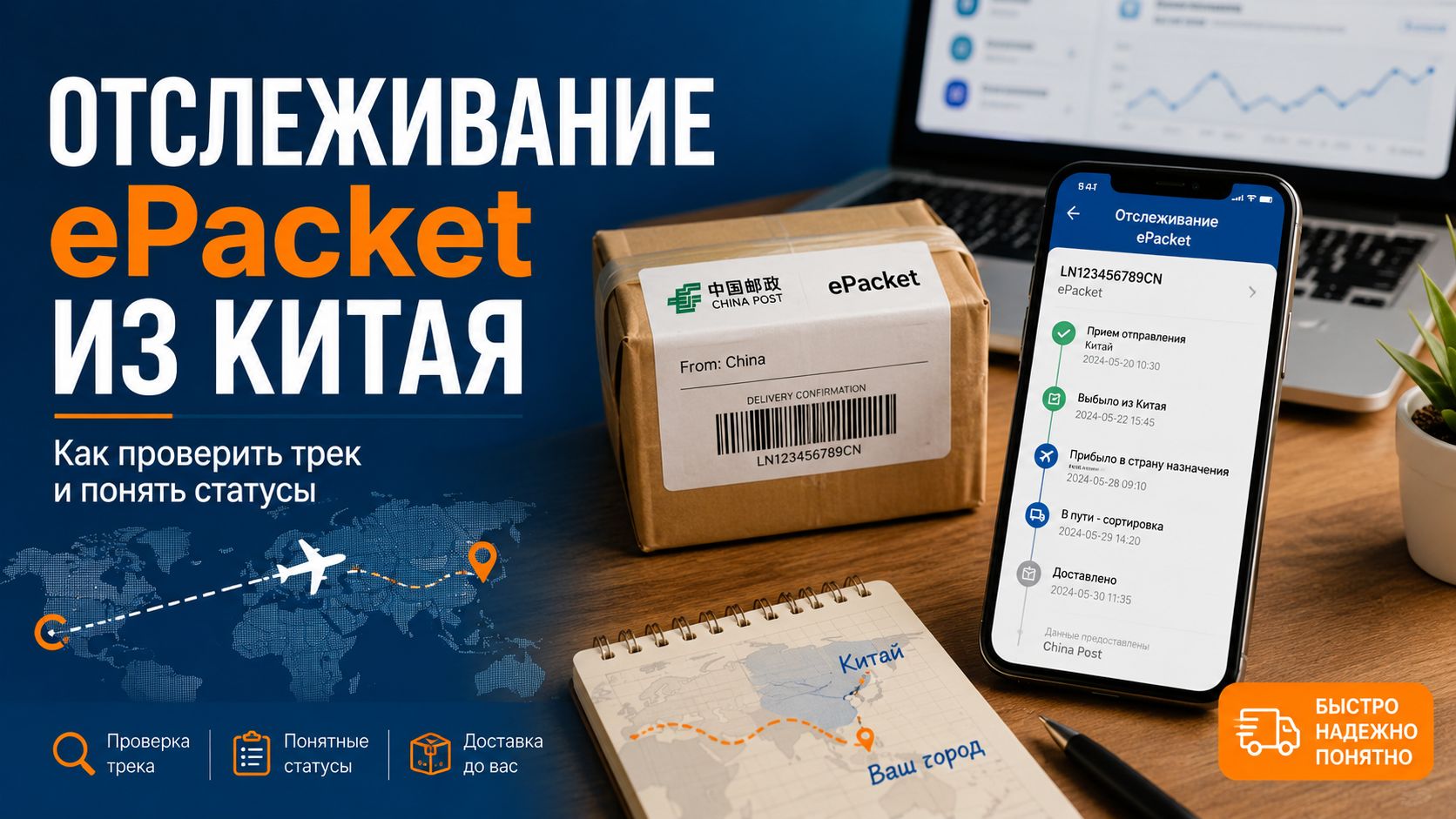
ePacket is often chosen for small items from China: accessories, cases, cables, cosmetic bags, small electronics, and light packages from marketplaces. This delivery method is usually faster than regular economy packages, but tracking can still be intermittent. Sometimes the status updates daily, while after export there may be silence for a couple of weeks. This is normal for international postal logistics, where the shipment goes through warehouses, air transport, customs, and local mail.
What is ePacket and how is it different
ePacket is an international postal format for light shipments from China and some other countries. It was created as a faster and more convenient option for online orders. Compared to regular small packages, ePacket usually provides better tracking and often arrives faster.
In everyday language, buyers simply call it "epacket" or "ePacket delivery." Sellers love this option for its balance of price and speed: not as expensive as express, but noticeably faster than the cheapest economy.
| Delivery method | Speed | Tracking | Suitable for which products |
|---|---|---|---|
| Regular economy package | Slow | Partial or weak | Cheap small items |
| ePacket | Average | Usually more detailed | Light goods from China |
| China Post Registered | Average | Normal | Small and medium shipments |
| EMS | Fast | Detailed | Urgent and more expensive packages |
| Courier delivery | Fast | Detailed | Expensive goods and documents |
ePacket should not be confused with courier delivery. A courier does not necessarily bring the package to your door. Often, after arriving in the country, the shipment is taken over by regular mail, and you pick it up at the post office or receive it according to the standard rules of the local operator.
[Image: small package from China with ePacket tracking sticker, next to a smartphone with tracking screen]
Where to get the ePacket tracking number
The tracking number appears after the order is shipped. It can be found in the personal account of the online store, in the purchase card, in an email from the seller, or in a notification from the marketplace.
ePacket often has international postal numbers with letters at the beginning and CN at the end. For example, the tracking number may look like LM123456789CN or LX123456789CN. The format depends on the country of origin, the operator, and the specific route.
Copy the number in full. Do not enter it manually. In tracking numbers, it is easy to confuse the letter O and zero, I and one. If the service says the number is not found, first check for extra spaces or missing characters.
Where to track ePacket
To track ePacket, start with the store or marketplace tracker. Then check the number in a universal tracking service and on the local postal website after the package arrives in the destination country.
ePacket goes through several operators. In China, the shipment is accepted by China Post or partner logistics, so if there are delays at the initial stages, it is useful to know how to track a China Post package and decode its current statuses. Then the package goes for export, arrives in the recipient's country, goes through customs, and is handed over to the local operator, which is why data may be updated with delays on different sites.
| Where to check | When it's useful | What it shows |
|---|---|---|
| Store account | Immediately after shipping | Tracking, overall status, delivery times |
| Universal tracker | Throughout the route | Summary statuses from different services |
| China Post | At the Chinese stage | Acceptance, sorting, export |
| Local post | After arrival in the country | Customs, post office, delivery |
| Post office | If the tracking is stuck nearby | Package availability in the database |
If you need to track ePacket without unnecessary confusion, check the number in two sources: a universal tracker and on the local postal website. After import, the local operator often shows the most accurate data.
Main ePacket statuses
Statuses can be in English, Russian, or in auto-translation. The wording varies, but the logic is the same: the package has been accepted, sorted, sent, checked at customs, and delivered.
Shipping information received
The seller has created data about the shipment. The tracking number is already available, but the package may still be at the warehouse. The first real scan will appear after it is handed over to the carrier.
Accepted or Posting
The postal service has accepted the package. The shipment has entered the system and has begun moving.
Arrival at sorting center
The package has arrived at the sorting center. It is scanned, sorted, and prepared for the next stage of the route.
Departure from sorting center
The package has left sorting. It is now heading to another hub, airport, or international exchange point.
Handed over to airline
The shipment has been handed over to the airline. This does not always mean that the plane has already departed. Sometimes bags wait for a flight for several days.
Departed from country of origin
The package has left the country of origin. After this, there is often a pause: the package is in transit, and new scans will only appear after arrival and processing.
Arrived at destination country
The shipment has arrived in the destination country. It will then be checked by customs and accepted by the local post.
Customs clearance
Customs clearance is in progress. This is usually a routine check. If documents or payment of duties are needed, the operator will send a notification.
Available for pickup
The package is ready for pickup. Check the post office, storage period, and documents needed for collection.
Delivered
The shipment has been delivered. If the status is present but the item is not, immediately check the post office, parcel locker, neighbors, reception, or postal support.
[Image: laptop with open ePacket tracker, next to a route map from China and a small package with a postal sticker]
Why ePacket does not update for a long time
ePacket is tracked better than many cheap delivery methods, but it is not GPS. The tracking updates only at scanning points. Between them, the package may be traveling, flying, sitting in a warehouse, or waiting for processing.
The most common reasons for pauses:
-
the seller created the tracking number but has not yet handed over the package;
-
the shipment is waiting for sorting;
-
the package is stuck at the export hub;
-
the package has been handed over to the airline, but there is no flight yet;
-
the destination country has not entered the data into the database;
-
the local post is processing bags with delays;
-
the delivery coincided with holidays or a sale backlog.
A pause of several days is normal. After export, silence can last 7–20 days. For small packages, scans often appear in batches: yesterday there was nothing, but today there are suddenly three statuses with retroactive dates.
How long does ePacket usually take
The time depends on the country, season, customs, and postal load. In a calm period, ePacket often arrives faster than standard economy delivery, but no one guarantees the exact time.
| Stage | Typical time | When to react |
|---|---|---|
| Creating the tracking number | 1–3 days | After 5–7 days without the first scan |
| Acceptance and sorting in China | 2–7 days | After 10–14 days without movement |
| Export and flight | 7–20 days | After 25–30 days of silence |
| Customs | 1–7 days | After 10–14 days without updates |
| Delivery within the country | 2–10 days | After 14 days without movement near you |
During sales, delivery times can easily stretch. 11.11, Black Friday, New Year, and Chinese holidays clog warehouses and air transport. Logistics starts to slow down. This is frustrating, but it does not always mean loss.
What to do if ePacket is not tracked
First, check the tracking number for errors. Copy it again from the order card, without spaces and extra text. Then paste the number into several trackers.
Steps to follow:
-
Check the tracking in the store account.
-
Paste the number into a universal tracker.
-
Check China Post or the postal website of the country of origin.
-
After import, check the local post.
-
Check the buyer protection period.
-
Write to the seller if the number has not matched for more than a week.
-
Open a dispute if the delivery time has expired and the item is not received.
Do not write to the seller a day after shipping. They often see the same data as you. But if 7–10 days have passed and the tracking is completely empty, asking is already reasonable.
What to write to the seller
Keep it short. The auto-translator understands simple phrases better.
If the tracking has not appeared:
«Hello. The ePacket tracking number has not been updated for 7 days. Please check if the order has been shipped and send the current number.»
If the package is stuck after export:
«Hello. The shipment has not been updated for more than 20 days after export. Please clarify where the package is.»
If the protection is ending:
«Hello. The package has not arrived yet, and the protection period is about to end. Please extend the order protection.»
If the status shows delivery but the item is not there:
«Hello. The order is marked as delivered according to the tracking, but I have not received anything. Please check the address and delivery details.»
When to open a dispute
A dispute is needed if the item has not arrived, the protection period is about to end, the seller is not responding, or the tracking shows delivery not to you. Before opening a dispute, gather screenshots: order card, tracker, local post website, correspondence with the seller.
In the description, write without emotions: the item has not been received, the tracking does not confirm delivery, the delivery time has expired. If the number shows another city or someone else's delivery, attach this as a separate screenshot.
Do not close the dispute based on the seller's promise to "send it later." As long as the problem is not resolved within the platform, it is better to keep the dispute open. Otherwise, you may lose the chance to get your money back.
How to receive ePacket without unnecessary problems
Check the address before payment: postal code, street, house, apartment, phone. For postal delivery, the postal code matters a lot. An error in one digit can send the package to another sorting hub.
Keep an eye on notifications from the local post. Sometimes SMS does not arrive, but the package is already at the post office. If the tracking shows arrival near you, go to the post office or check the database through the app.
For expensive items, ePacket is not always the best choice. It is fine for light orders, but for electronics, watches, expensive spare parts, or fragile items, it is better to choose delivery with more detailed tracking and clear responsibility.
Tracking ePacket is easier if you do not expect courier precision from it. This is postal delivery: there can be pauses, overloads, and retroactive statuses. Keep an eye on the tracking, protection period, and real checkpoints—this way you will quickly understand when you can wait calmly and when it is time to act.