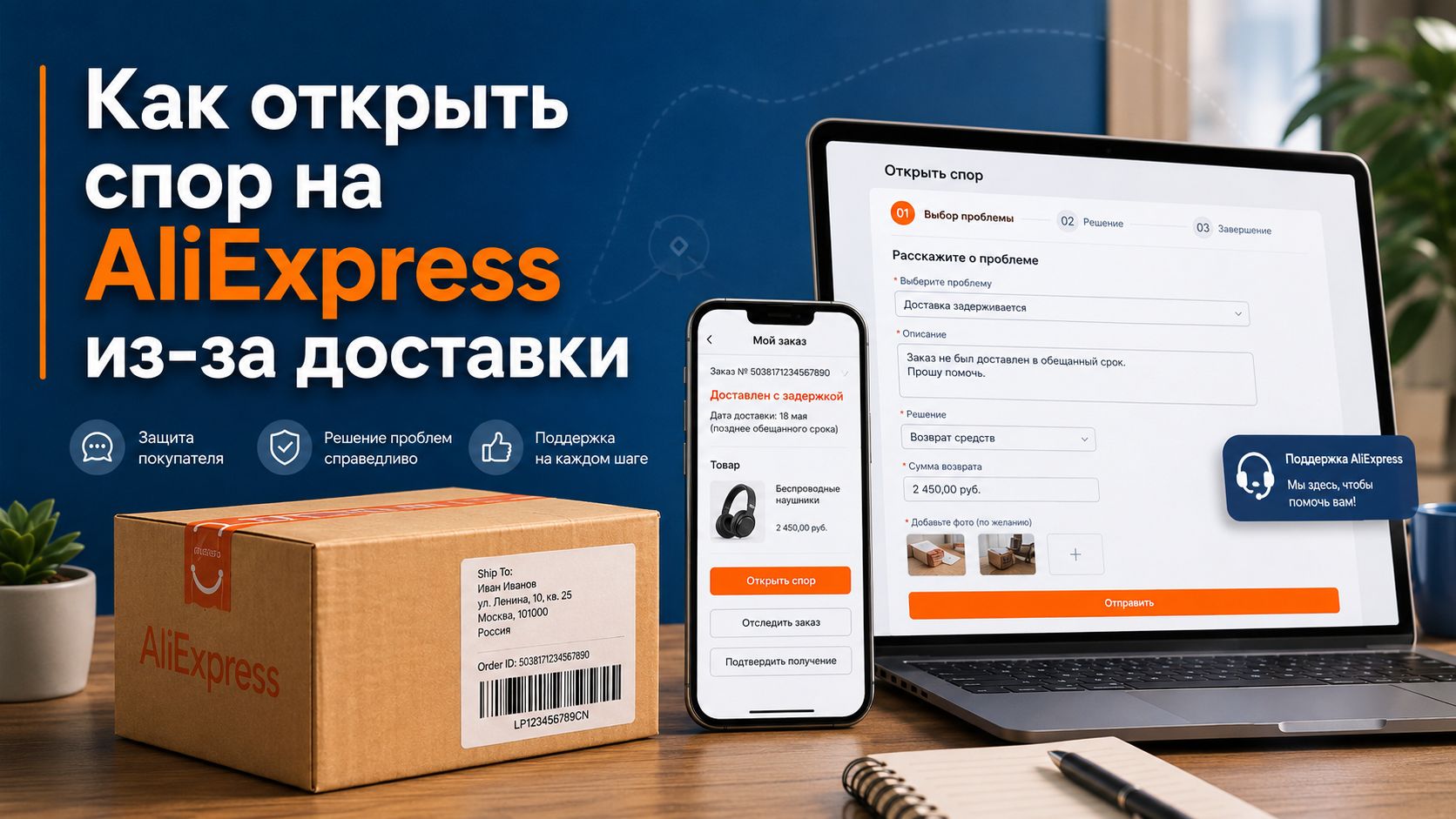
The package from AliExpress may take longer than usual, get stuck in sorting, or suddenly receive a status of «delivered», even though you have nothing in your hands. In such a situation, the main thing is not to panic and not to press the confirmation of receipt. The buyer has a working protection tool: a dispute over delivery. It helps to get your money back if the item hasn't arrived, the tracking isn't moving, the seller is dragging their feet, or the protection period is almost at zero.
It is better to open a dispute on AliExpress over delivery not based on emotions, but on facts. The platform looks at the order status, tracking movement, the end date of protection, and evidence. The clearer you present the problem, the less likely it is that the application will be rejected or that you will be asked to wait another week.
When a dispute over delivery is really needed
A dispute on AliExpress over delivery is not opened for any delay of a couple of days. The platform looks at the order status, the protection period, tracking movement, and correspondence with the seller. If the package is moving slowly but the tracking is regularly updated, support often suggests waiting. If the tracking is stuck, the period is almost over, or delivery is marked as completed but the item is not there, it’s time to act.
Most often, a dispute over AliExpress delivery is needed in three situations:
- The package hasn't arrived, and the protection period is almost over;
- The tracking shows «delivered», but you haven't received anything;
- The item has returned to the seller or is stuck in sorting without movement;
- The seller gives vague answers and asks to close the order;
- The delivery has missed the guaranteed deadline, and a return request is available in the order.
Do not confirm receipt «on good faith». The confirmation button tells the system that everything is okay with the order. After that, it is harder to request a return. Computer people have a saying: «don't touch it while it works». Here it’s the opposite: don’t press until you have received.
What to check before opening a dispute
Before submitting a request, gather the facts. AliExpress loves specifics: dates, statuses, screenshots, tracking number. Emotions do not help. A short set of evidence works better than a long complaint.
Check:
- Status in your AliExpress account.
- Tracking on the carrier's website or in the tracking tool.
- End date of protection.
- Correspondence with the seller.
- Delivery address in the order.
- Notifications from the post office or delivery service.
If the protection period for the AliExpress order is ending, do not wait until the last hour. Sometimes the app lags, the dispute does not open the first time, the page logs you out, and the button disappears after refreshing. It’s better to leave at least a day as a buffer.
What evidence to attach
For a delivery dispute, simple materials will suffice:
| Problem | What to attach |
|---|---|
| The tracking is not updating | Screenshot of the tracking with the date of the last movement |
| The package is marked as delivered | Screenshot of the status and an explanation that the item was not received |
| The order has gone back | Screenshot of the return status to the sender |
| The seller asks to wait | Screenshot of the correspondence |
| The address is correct | Screenshot of the address from the order without unnecessary personal data |
There is no need to overload with ten identical screenshots. 2–4 clear pieces of evidence are sufficient. The images should show the order number, date, status, and tracking. If you are using a third-party tracking tool, also add a screenshot from AliExpress.
How to open a dispute on AliExpress step by step
Go to the order through the app or web version. In disputed cases, it is more convenient to do this from a computer: the screen is larger, the fields are clearer, and attaching files is easier.
Step-by-step procedure
- Open the orders section.
- Find the necessary item.
- Click the return or dispute button.
- Select a reason related to delivery.
- Indicate that the item was not received.
- Select a full refund if the package is missing.
- Add a short description.
- Attach screenshots.
- Submit the application and monitor the responses.
The wording should be calm. Do not write in all caps and do not threaten the seller. It’s better to say: «The item was not received. The tracking has not been updated since May 12. The protection period is ending. I request a full refund». Briefly. To the point.
If delivery is marked as completed but you have not picked anything up, write: «The status shows delivery, but the package was not handed to me. There are no notifications from the delivery service. The address in the order is correct». Attach a screenshot of the status and, if available, the response from the post office or carrier.
Full or partial refund: what to choose
If the item has not arrived, choose a full refund. A partial refund is suitable when the item has been received but there is a problem: damage, incomplete set, wrong color, weak configuration. For pure non-delivery, a partial refund looks strange and may weaken your position.
| Situation | What to request |
| The package has not arrived | Full refund |
| The package has returned to the seller | Full refund |
| Only part of the order has been received | Partial or full, depending on the price of the missing part |
| The item arrived damaged | Partial refund or return of the item |
| Delivery was significantly delayed | According to the terms of the specific order |
If the seller offers to close the dispute and promises to refund later, do not agree. After closing the application, there are fewer levers. A normal seller resolves the issue within the system, not asking you to «trust» them.
What to write to the seller before and after the dispute
Correspondence is needed not for a heart-to-heart talk, but to leave a trace in the system. Write through the AliExpress chat. Do not switch to messengers, do not send card details, do not accept returns «off the books».
Example message before the dispute:
«Hello. The order has not been received. The tracking has not been updated since May 12. The protection period will soon end. Please extend the protection or confirm the return».
Example message after opening the dispute:
«I opened a dispute because the item was not delivered. All screenshots are attached. I am ready to wait for AliExpress's decision».
Do not argue in a bazaar style. The system sees the correspondence, and a neat tone works better. The seller may drag their feet, asking you to wait 5–10 days, saying that the package is «already nearby». Look at the tracking, not at promises.
Errors that lead to losing a dispute
Buyers often undermine their own position. And not out of malice, but out of haste.
The most common mistakes:
- confirmed receipt before actual delivery;
- opened a dispute too early when the protection period was still long;
- did not attach screenshots;
- selected the wrong reason for the application;
- requested a partial refund for an undelivered item;
- closed the dispute at the seller's request;
- wrote a long emotional text without dates and tracking.
Especially dangerous is the seller's phrase «close the dispute, we will resend». Resending may be normal, but only if it is visible in the order or you are willing to take the risk. Without documentation in the system, it is just words.
What to do if AliExpress asks you to wait
Sometimes the platform does not give a refund immediately. It sees that the package is still formally in transit and suggests waiting until the deadline ends. In such a situation, keep an eye on the timer, update the evidence, and do not close the application without a result.
If the dispute is already open, respond to requests in a timely manner. Missing a deadline can work against you. Check notifications in the app and in your email. Support may ask for a new screenshot of the tracking or a document from the delivery service. Provide what you can obtain.
Mini-checklist before submitting the application
Before pressing the button, check yourself:
- The item has really not been received.
- The protection period is close to ending or the delivery is clearly problematic.
- The tracking is saved as a screenshot.
- There is correspondence with the seller.
- The reason is selected regarding delivery.
- A full refund is requested.
- The description is short and clear.
A dispute on AliExpress is not a quarrel with the store, but a regular application regarding a problematic order. The less noise and the more facts, the higher the chance of getting your money back without stress. Keep the tracking handy, do not press confirmation in advance, and do not be swayed by requests to close the dispute «friendily».