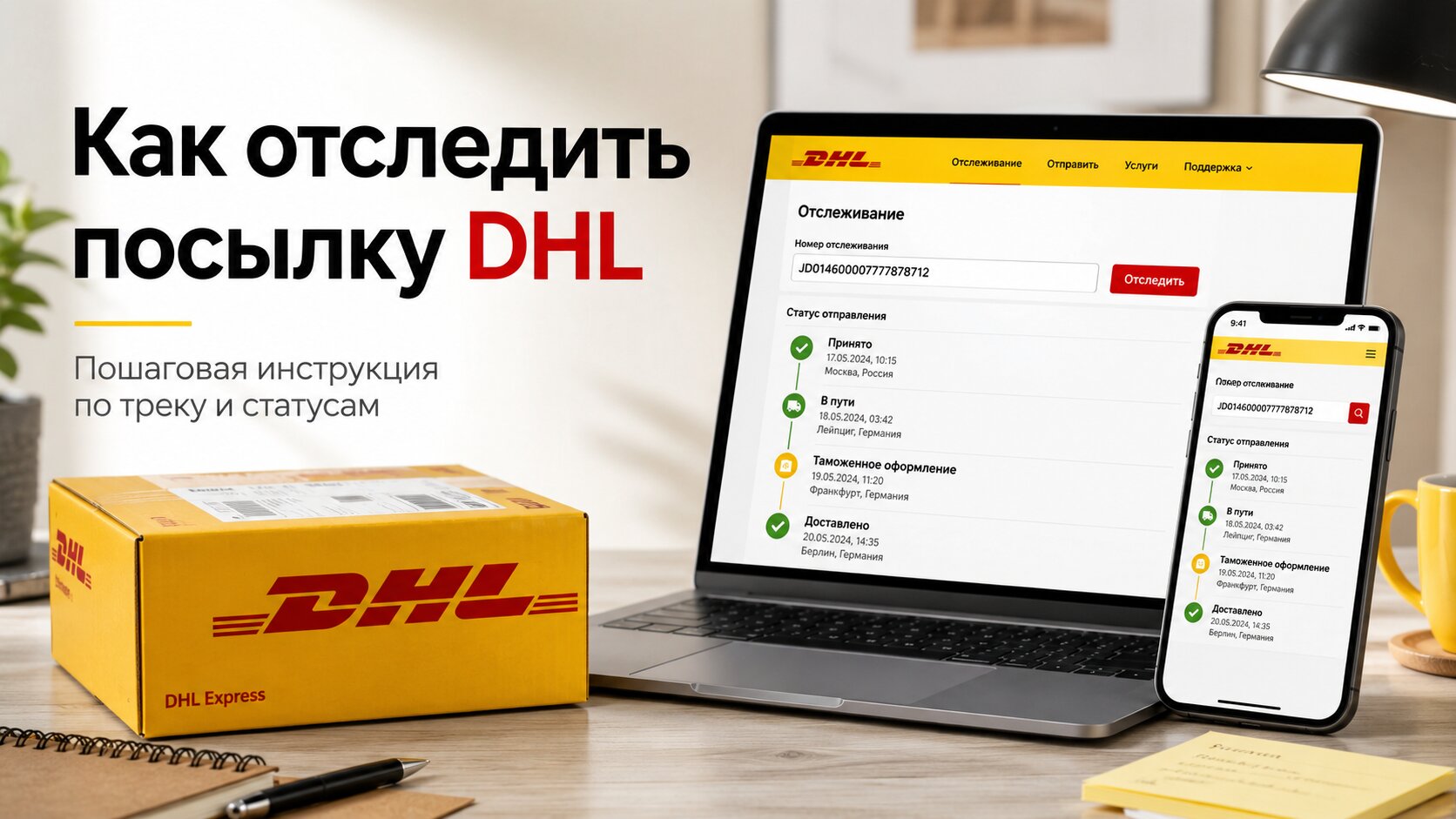
DHL часто используется для международных отправлений: документов, посылок из интернет-магазинов, коммерческих грузов и экспресс-доставки. Сервис предлагает быстрое отслеживание, но статусы иногда могут быть запутанными: отправление может застрять на таможне, ожидать информации от получателя или изменить маршрут через другой сортировочный центр. Чтобы не беспокоиться из-за каждой задержки, необходимо понимать, где проверить номер, как читать маркировку и когда следует обращаться в службу поддержки.
Где найти номер для отслеживания посылки DHL?
Номер для отслеживания посылки DHL обычно высылается отправителем: интернет-магазином, продавцом, складом, брокером или лицом, организовавшим доставку. Номер может прийти по электронной почте, SMS, в личный кабинет магазина или в карточке заказа.
DHL чаще всего использует цифровые номера, но формат зависит от типа отправления. Для экспресс-доставки используется один тип отслеживания, а для электронной коммерции или международной почты — другой. В повседневной речи все это называется просто «отслеживание DHL», хотя у компании есть несколько собственных логистических продуктов.
Внимательно проверьте номер. Лишний пробел, пропущенная цифра или символ, скопированный вместе с текстом, могут нарушить поиск. Лучше не вводить его вручную, а скопировать номер отслеживания непосредственно из электронной почты или учетной записи заказа.
Где отследить отправления DHL
Наиболее надежный вариант — официальный сайт DHL. Введите номер в поле для отслеживания и нажмите «Поиск». Система покажет текущий статус, город, дату обновления и историю перемещений.
При международных отправлениях полезно проверять не только веб-сайт DHL, но и веб-сайт местного оператора, передал ли он посылку партнеру. Это часто происходит с недорогими почтовыми отправлениями. DHL доставляет посылку в страну, а затем ее передает национальная почта или местная курьерская служба.
| Где проверить | Когда удобно | Что можно увидеть |
|---|---|---|
| Официальный сайт DHL | На любом этапе | Основной маршрут, статусы, даты |
| Аккаунт интернет-магазина | После покупки товара | Номер заказа и отслеживание доставки |
| Сайт местной почты | После прибытия в страну | Таможня, сортировочный отдел |
| Универсальный трекер | С использованием смешанной логистики | Данные от нескольких операторов |
| Поддержка DHL | В случае задержки или ошибки | Уточнение по адресу, таможне, доставке. |
Если вам нужно отследить посылку DHL по номеру, начните с официального сайта. Сторонние сервисы отслеживания удобны, но они не всегда обновляются быстрее, чем исходный сайт.
Что означают основные статусы DHL
Статусы отправлений DHL обычно короткие. Проблема в том, что перевод не всегда звучит естественно. Давайте разберем наиболее распространенные отметки.
Получена информация о доставке.
Компания DHL получила электронные данные о грузе. Это означает, что отправитель создал накладную, но посылка, возможно, еще не была передана курьеру. На данном этапе номер уже существует, но физического перемещения может и не быть.
Груз забран
Курьер забрал посылку. Посылка внесена в систему DHL и начала свой путь. Это первый нормальный признак того, что доставка действительно началась.
Обработано на предприятии.
Отправление обработано на складе или в сортировочном центре. Эта отметка может появляться несколько раз в разных городах. Упаковка сканируется, сортируется и отправляется дальше.
Покинувшее предприятие
Посылка покинула склад DHL. Обычно после этого она отправляется дальше или самолетом в следующий логистический центр. Если маршрут международный, следующая отметка может появиться не сразу.
Прибыли на сортировочный пункт.
Посылка прибыла в сортировочный центр. Для DHL это нормальный рабочий статус. Груз мог прибыть в крупный распределительный центр, где он распределяется по направлениям.
Статус таможни обновлен
Появилась информация о таможенных процедурах. Это не всегда является проблемой. Статус может указывать на плановую проверку документов, расчет таможенных пошлин или ожидание подтверждения от получателя.
Событие по очистке
Customs clearance is in process. Sometimes DHL requests passport details, TIN, invoice, payment confirmation, or product description. If documents are needed, it's better not to delay: the package will be held until the data is passed to the broker.
With delivery courier
The package is with the courier. Usually, delivery occurs on the same day, but the time depends on the route, workload, and address. Keep your phone nearby: the courier may call from an unknown number.
Delivered
The shipment has been delivered. If you haven't received anything, immediately check who accepted the package, at what address, and whether there was a signature. Sometimes the shipment is received by reception, security, a relative, or an office employee.
Why DHL may be delayed
DHL works quickly, but delays can happen even with express delivery. Most often, the reason is not "loss," but rather issues with documents, customs, or the address.
The main reasons for delays:
-
The sender created a waybill but did not hand over the package;
-
The recipient's data was filled out incorrectly;
-
Customs requested documents;
-
Payment of duty or tax is required;
-
The courier could not reach the recipient;
-
The address is incomplete or provided without an office, apartment, or postal code;
-
The package got stuck in overload at the hub;
-
The delivery coincided with the weekend or holiday.
Sometimes the status hangs without movement for 1–3 days. This is normal for international logistics. The package may be waiting for a flight, undergoing sorting, or standing in line for customs clearance.
What to do if the DHL tracking is not updating
First, check the date of the last mark. If less than a day has passed, just wait. DHL does not update tracking every minute: the status appears after scanning at a checkpoint.
If more than 2–3 business days have passed, follow these steps:
-
Check the number on the official DHL website.
-
Compare the status with the data in the store.
-
Check your email and SMS — there may be a request for documents.
-
Check for errors in the address or phone number.
-
Contact the sender if DHL indicates that the package has not yet been handed over.
-
Write or call DHL support if the shipment is already with the service.
Do not delete emails from DHL. They may contain links for duty payment, document upload, or address change.
When to contact DHL support
Support is not needed for every pause. It's better to reach out when there is a specific problem: the status hasn't changed for several business days, the courier supposedly came but did not call, the package is marked as delivered but you haven't received it, or customs is requesting documents but it's unclear which ones.
Before contacting, prepare:
-
tracking number;
-
recipient's name;
-
delivery address;
-
phone number;
-
date of the last status;
-
order number in the store;
-
payment screenshot or invoice if the issue is with customs.
This way, the conversation will go faster. The operator won't have to extract data point by point.
If DHL requests documents for customs
For international purchases, this is a common story. Customs needs to understand what is inside, how much the goods cost, and who the recipient is. Sometimes a link to the product and a payment screenshot are enough, while other times an invoice is requested.
The most commonly requested documents include:
| Document or data | Why it's needed |
|---|---|
| Passport details | Confirmation of the recipient |
| TIN or tax number | Calculation of payments |
| Invoice | Confirmation of value |
| Payment screenshot | Verification of purchase amount |
| Product description | Classification of cargo |
| Link to the product | Clarification of characteristics |
Do not indicate a fabricated value. If the amount in the documents does not match the payment, the clearance may be delayed. Customs likes numbers that match each other.
How not to miss the delivery
When the status changes to "with the courier," keep your phone on. The courier may arrive earlier than expected or call to clarify the entrance, office, or intercom code.
If no one will be home, check if you can change the delivery date, address, or choose a pickup point. DHL's options depend on the country and type of shipment. Sometimes redirection is available, sometimes only a retry of delivery.
For offices, specify not only the street and house but also the company name, floor, office, and contact person. For residential addresses — apartment, entrance, intercom, and postal code. The more precise the address, the less chance the courier will take the package back to the warehouse.
What to do if the status is "delivered" but the package is missing
First, check if someone nearby received the shipment: a relative, neighbor, security, reception, or colleague. For office deliveries, this is a common situation. Then check the delivery details on the DHL website: sometimes it shows the name of the signer or the delivery location.
If no one has received the package, contact DHL and the sender immediately. Don't wait several days. The sooner the investigation starts, the easier it will be to find the package along the courier's route.
Briefly describe the situation: the tracking shows delivery, but the recipient did not receive the item. Ask to check the signature, address, and courier details. If the order was from a store, simultaneously open an inquiry with the seller.
Useful tips for the recipient
Keep the tracking number until the package is fully received. Check your email and SMS, especially for international deliveries. Do not ignore customs requests: one missing invoice can delay the package for a week.
For expensive shipments, clarify delivery conditions, duty limits, and the list of documents in advance. If you are sending it yourself, fill out the waybill without abbreviations and errors. DHL transports quickly, but even a fast logistics server won't save a crooked address.
Отслеживать отправления DHL проще всего, если у вас под рукой есть номер телефона, верный номер и доступ к электронной почте. Тогда становится ясно, где находится посылка, кто ее получил и что нужно сделать, чтобы получить отправление без лишнего стресса.